Nov 6, 2026
YouTube Automation in 2026: How to Start Safely
YouTube automation explained: what it is, what each video really costs, how to start a faceless channel, and how to stay inside YouTube's monetization rules.
YouTube automation means running a channel as a production system: freelancers, software or AI handle repeatable jobs such as scripting, voiceover and editing, while you choose the ideas and approve the work. It is allowed and it can earn money, but it is not passive income, and YouTube will not pay for mass-produced videos.
This guide explains how the model works, what YouTube's rules actually say, what a video costs and how to start without building a channel that can never be monetized.
What is YouTube automation?
In practice, it is a YouTube automation business where you act as the producer instead of doing every task yourself. You will also see it written as yt automation, or described as a "cash cow" channel.
The word "automation" oversells it. A fully automated YouTube channel, one that plans, makes and publishes videos with nobody checking them, is the setup most likely to collide with YouTube's rules. In real channels, people still make the decisions that matter.
Three different models share the name:
| Model | Who does the work | What you do | Best for |
|---|---|---|---|
| Outsourced team | Writers, voice artists, editors, thumbnail designers | Hire, brief, review and pay | Budgets that can fund many videos before any return |
| AI-assisted solo | One person with AI tools | Direct each video and fix what the AI gets wrong | Testing an idea on a small budget |
| Agent pipeline | A coding agent calling tools through an API | Set the rules and approve each step | Technical creators who publish often |
AI YouTube automation, the middle row, is the cheapest way to test a format, so it is where most newcomers should start. The third row is newer. A YouTube automation agent can draft a script, order production and report back, and Go Motion's agent skill works this way, with every paid step confirmed by you first.
How a YouTube automation channel actually works
Every channel of this kind runs the same pipeline, whichever model sits behind it. The useful question is not "can this be automated?" but "what happens if nobody checks it?"
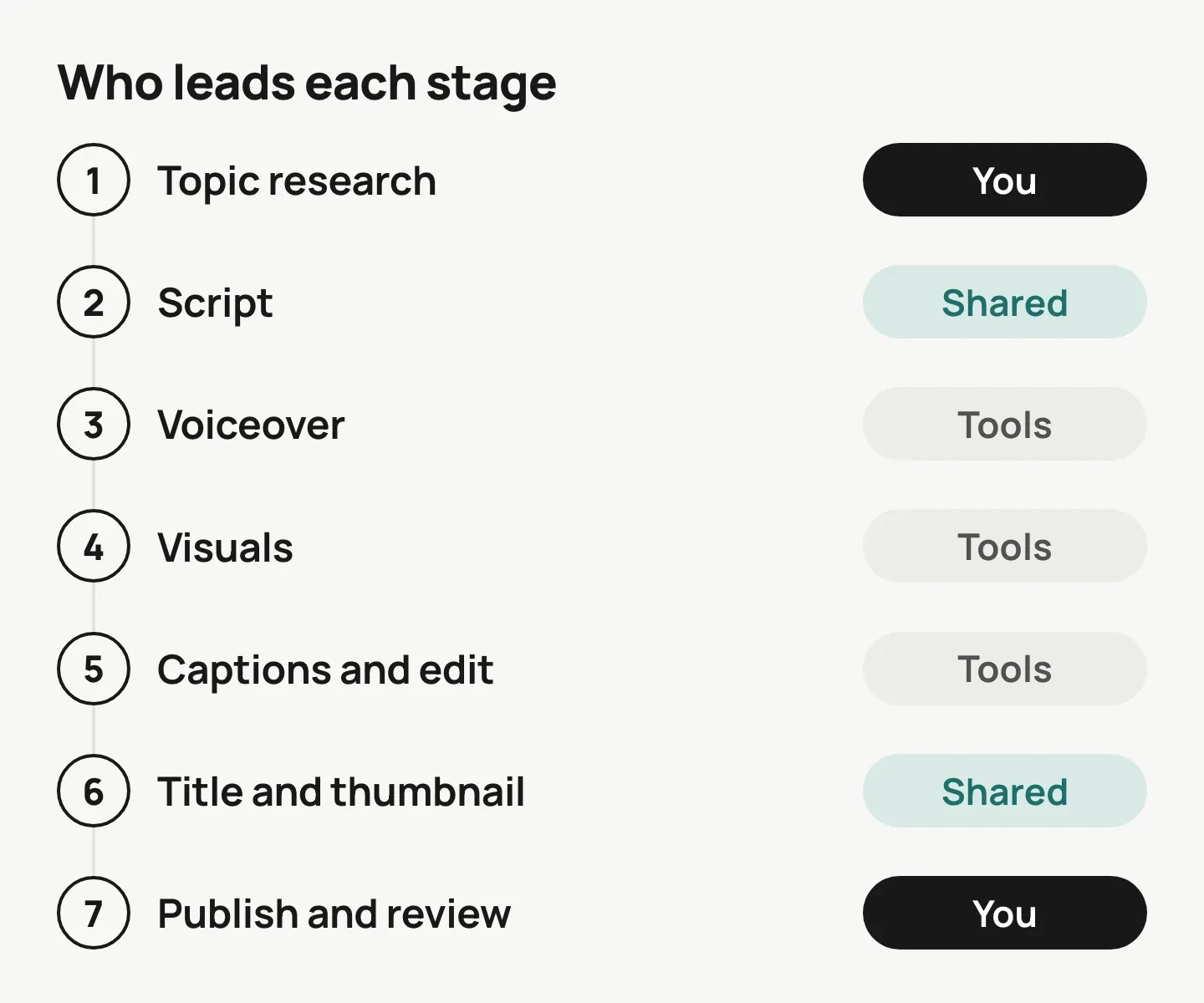
Here is how the work usually divides:
| Stage | Let tools do | Keep for yourself |
|---|---|---|
| Topic research | Pull search and competitor data | Decide what the channel stands for |
| Script | Draft the structure and narration | Check the facts and add a point of view |
| Voiceover | Generate the narration | Listen to the full take |
| Visuals | Match footage to each line | Replace weak or misleading shots |
| Captions and edit | Timing, captions and assembly | Watch it once from start to finish |
| Title and thumbnail | Suggest variations | Pick a promise the video keeps |
| Publish and review | Scheduling and reports | Decide what to change next |
The right-hand column is the job. It is also what separates a channel with an editor from a channel that only presses a button.
Faceless YouTube automation
Automation and faceless are not the same thing. Faceless means nobody appears on camera. Automation means you do not do all the work yourself. Most channels in this space are both, which is why faceless YouTube automation is such a common search, but a faceless channel can be made entirely by hand, and an outsourced channel can have a presenter.
Faceless works best when pictures can carry the story: history, science, explainers, true stories and how things work. It is a weaker fit when viewers come for a personality. If you are starting from zero, our guide to the faceless YouTube channel covers formats, ideas and staying anonymous.
Is YouTube automation allowed?
Yes, YouTube automation is allowed. YouTube does not ban outsourcing, software or AI in your workflow. What it restricts is the result. Its channel monetization policies expect monetized content to be your original creation and not "mass-produced, generic, repetitive, or manipulative."
In July 2025, YouTube renamed its "repetitious content" policy to "inauthentic content" to make that clearer, and said this kind of content had always been ineligible for monetization. A separate reused content policy covers commentary, clips, compilations and reaction videos that borrow from other creators.
What YouTube reviewers check
Reviewers cannot watch every video, so YouTube says they may focus on these parts of a channel:
- Its main theme
- The most viewed videos
- The newest videos
- The videos with the biggest share of watch time
- Metadata: titles, thumbnails and descriptions
- The About section
YouTube adds that reviewers can look further, but this list gives you six places to audit before you apply for monetization. Open your channel as a stranger would and ask whether those six places describe a real show.
The inauthentic content test
A repeatable format is fine. A format is what makes a series. Swapping the nouns in the same script is not.
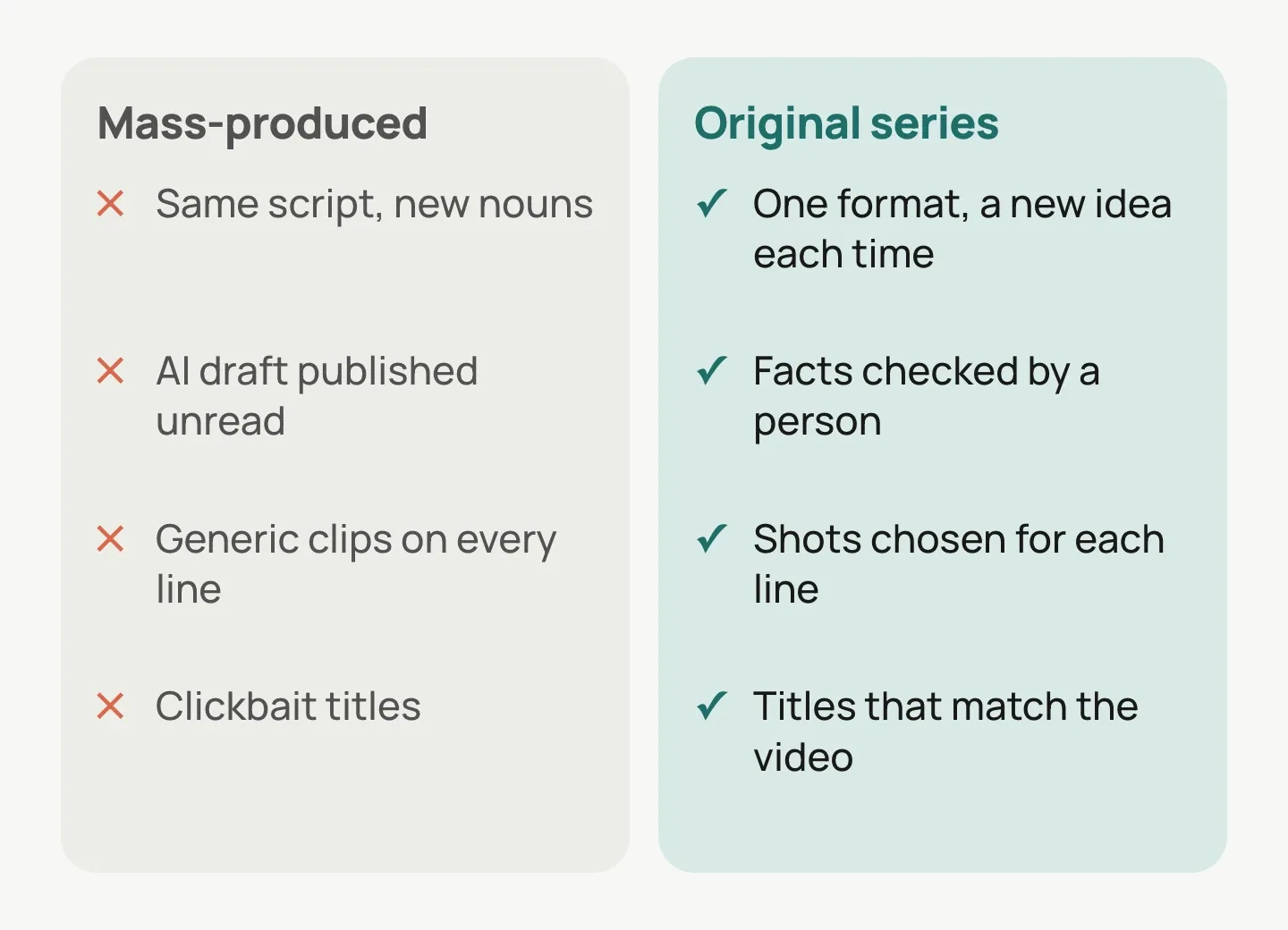
YouTube does not publish a checklist, so these five questions are our own reading of the policy. Run them before you publish a batch:
- Could a viewer tell your last five videos apart without reading the titles?
- Does each video offer something the top search result does not, such as a comparison, an argument or a clearer structure?
- Did a person check the facts and make at least one real editorial decision?
- If you removed the voice and footage, would an idea worth watching remain?
- Would you watch to the end if the video were not yours?
If you answer no to two or more, slow down and fix the format before you add volume. Our guide to keeping a faceless series original goes deeper on this.
When to disclose AI content
YouTube's AI disclosure rules apply to realistic content, not to AI use in general. You must disclose content that makes a real person appear to say or do something they did not, alters footage of a real event or place, generates a realistic scene that never happened, or creates music that is the main focus of the video.
You do not need to disclose clearly unrealistic content, minor edits or production help, which YouTube says includes using generative AI for an outline, script, thumbnail or title. You make the disclosure during upload in YouTube Studio.
How to start an automated YouTube channel
These seven steps work whether you hire a small team or are learning how to start YouTube automation with AI. The order matters: prove one format before you spend on volume.
Step 1: Choose a niche with a reason to exist
The best niche for YouTube automation is one where you can add something, not just one with high ad rates. Answer three questions in writing: who is this for, what will they get from each video, and why would they choose your channel over the ones already ranking? Start with topics you can fact-check yourself, because you will be responsible for every claim.
Step 2: Define a repeatable format
Write a one-page format covering the length, opening, structure, tone and visual rules. For example: "Eight-minute history mysteries. Open on the unanswered question, present three pieces of evidence, give the likeliest explanation, then state what remains unknown." This page makes the series recognizable, and it gives a freelancer or an AI tool something concrete to follow.

Step 3: Make one pilot video end to end
Before you build a system, make one video. Time each stage, note what it cost and write down everything you had to fix by hand. That list becomes your review checklist, and it tells you which stage to improve first.
Step 4: Write scripts with a point of view
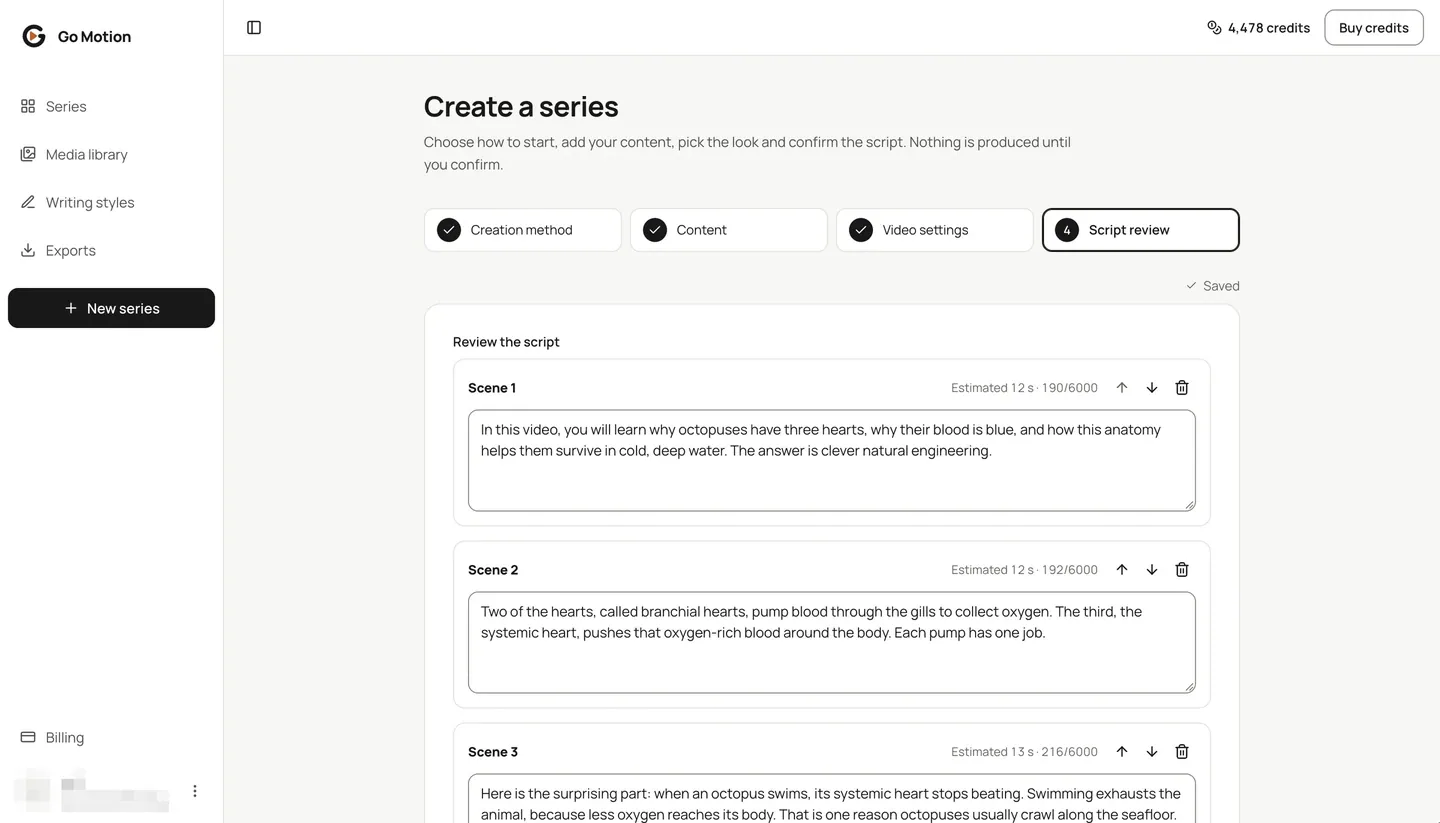
The script decides most of the outcome. If you use AI, brief it the way you would brief a writer: the hook, the facts to include, the audience and the tone. Then edit for accuracy and add the judgment only you can bring. In Go Motion you can start from an idea or paste a finished script; if you paste one, your wording is kept and only split into scenes.
Step 5: Produce the voice, visuals and captions
This stage takes the longest by hand and automates the best, so it is the one to master if you want to know how to make automated AI YouTube videos. In Go Motion, you review every scene first, then narration, word-timed captions and matched footage are produced together. If a line or a shot misses, you change that scene instead of regenerating the whole video.
Whichever tool you use, confirm that you have the right to use every clip, music track and voice.
Step 6: Package each video
The title and thumbnail decide whether anyone clicks, and YouTube reviewers look at them too. Promise only what the video delivers, and let the thumbnail show an idea instead of repeating the title. Go Motion can generate a thumbnail background in the style of covers you like, or you can upload your own.
Step 7: Publish steadily and review the numbers
Pick a schedule you can hold for months. Go Motion exports a 1080p MP4 with SRT and VTT captions, and you upload it in YouTube Studio with your title, description and thumbnail.
After each batch, read click-through rate and audience retention, then fix the weakest stage. Low clicks point to packaging. An early drop points to the opening. A late drop points to the structure.
What does YouTube automation cost?
The cost depends on how much work you pay other people to do. Outsourced production often reaches a few hundred dollars per video once you add a writer, voice artist, editor and thumbnail designer. An AI-assisted workflow can bring that down to tens of dollars or less, and your own time becomes the main cost.
Here is a real example. In Go Motion, one minute of video costs 45 credits from idea to MP4: 10 to write the script, 30 to produce it and 5 to export. An eight-minute video is 360 credits.
| Credit pack | Price | Credits | Cost of an eight-minute video |
|---|---|---|---|
| Starter | $59 | 1,050 | About $20 |
| Creator | $189 | 6,300 | About $11 |
| Pro | $289 | 14,000 | About $7 |
Those are one-time credit packs, and credits are counted per started minute of narration. See the pricing page for current plans. Add your own time, plus any research tools or licensed music you use.
Is YouTube automation worth it?
YouTube automation is worth it if you treat it as a small media business with a budget and a long runway. It is not worth it if you need income soon.
If you are wondering what percent of YouTube automation channels actually make money, no reliable public figure exists. The big numbers you see are usually self-reported by the winners, and the channels that quietly failed do not publish results. Read any YouTube automation Reddit thread and you will find both camps, so judge the idea with your own numbers.
The monetization threshold
To earn a share of ad revenue, you need to join the YouTube Partner Program. That takes 1,000 subscribers plus either 4,000 qualified watch hours in the last 12 months or 10 million qualified Shorts views in the last 90 days, followed by a review of your channel. Until then, ad income is zero, so budget for a stretch of costs with no revenue.
The break-even formula
RPM is what you earn per 1,000 views. It changes with the niche, the audience's location and the time of year, so nobody can promise a number. The formula still tells you what a video has to do:
Break-even views = cost per video ÷ RPM × 1,000
Here is what that looks like with a $3 RPM, which is an example and not a benchmark:
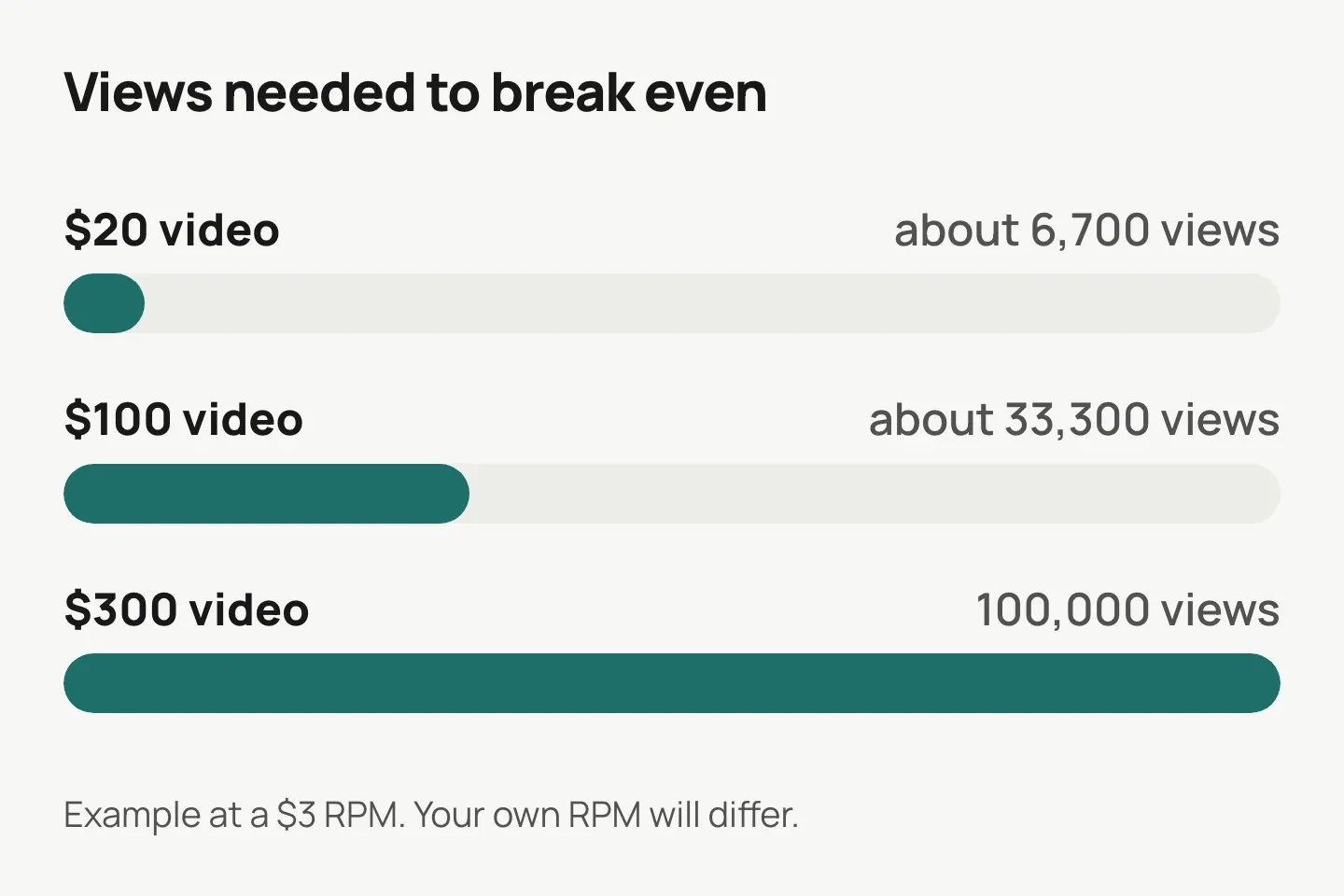
A $300 video needs 15 times the views of a $20 video to pay for itself. Once you are monetized, take your real RPM from YouTube Studio and run the formula again.
Income beyond ads
Ads are only one line. Affiliate links, sponsorships, channel memberships and digital products can pay more per viewer than ad revenue, and some of them can start before you qualify for ads. That is why a smaller niche with a clear product can beat a bigger one.
YouTube automation tools
Choose YouTube automation tools by job instead of collecting subscriptions. YouTube AI automation usually comes down to four jobs:
| Job | What to look for | Question to ask |
|---|---|---|
| Research | Search demand and competitor outliers | Does it show real data or guesses? |
| Script | Style control and easy editing | Can I review each scene before paying for production? |
| Production | Voice, footage and captions in one place | Can I change one scene without rebuilding the video? |
| Packaging and analytics | Thumbnails, titles and retention reports | Does it help me decide what to change next? |
Fewer tools usually means fewer handoffs. Each extra handoff is another place where a script, file or caption can go wrong, and you still have to check the final video.
Common mistakes to avoid
- Buying a course before making a video. One pilot teaches more than a month of theory.
- Scaling before the format works. More uploads multiply a weak format.
- Publishing AI drafts unread. Errors and generic phrasing are easy to catch and costly to leave in.
- Copying a successful channel. Study what works, then bring your own angle.
- Spending everything up front. Keep money for the videos that come after your first results.
Frequently asked questions
Is YouTube automation legal?
Yes. Hiring freelancers and using software or AI to make videos is legal, and YouTube allows it. You still need the rights to every clip, track and voice you use, and monetized channels must meet YouTube's rules on original, authentic content. Legal and monetizable are separate questions.
Do faceless AI videos make money on YouTube?
They can, once a channel joins the Partner Program and viewers choose to watch. Being faceless or using AI does not block monetization, but mass-produced or repetitive videos do. Your best chance is a clear topic, a recognizable format and real editorial judgment in every video.
Do I need a YouTube automation course?
No. Much of what a YouTube automation course teaches is covered by YouTube's own help pages and by making one pilot video. Spend your first money on test videos. If you buy training later, look for recent proof, a clear refund policy and no promise of guaranteed income.
Can I do YouTube automation for free with free tools?
You can test it for free. Free tiers, stock libraries and free editors can produce a first video, and Go Motion gives new accounts free credits. Publishing consistently usually takes paid tools or a lot of your own time, so plan for one or the other.
How many views do you need to make $1,000 a month?
It depends on your RPM. At an example RPM of $3, $1,000 takes about 333,000 views in a month. At $10, it takes about 100,000. Check your real RPM in YouTube Studio once you are monetized, because it changes with the niche, audience location and season.
How long does it take to earn money?
Expect months, not weeks. A new channel has to reach 1,000 subscribers plus the watch-hour or Shorts threshold, then pass review. Timing depends on your topic, quality and upload pace, so set aside a budget that covers a long stretch without any income.
Is YouTube automation passive income?
Not really. Someone still has to choose topics, check facts, review each video and act on the analytics. Automation cuts the hours spent on production, but it does not remove the work of running a channel, and an unattended channel is the one most likely to fail review.
Start with one video
Automation does not replace what every good channel needs: a clear idea and videos someone cared enough to check. Automate the repeatable work, keep the editorial decisions, and prove one format before you scale.
Start your YouTube automation workflow with Go Motion: describe an idea or paste a script, review the scenes, and make your first video with the free credits in a new account.