ChaptersCreate a series
Create a series
The wizard has four steps: creation method, content, video settings and Review scenes. Start with an idea or paste your complete script. Review and adjust the scenes before production.
- 5 minutes
- Script 10 credits per minute
- Production 30 credits per minute
On this page
Choose how to start
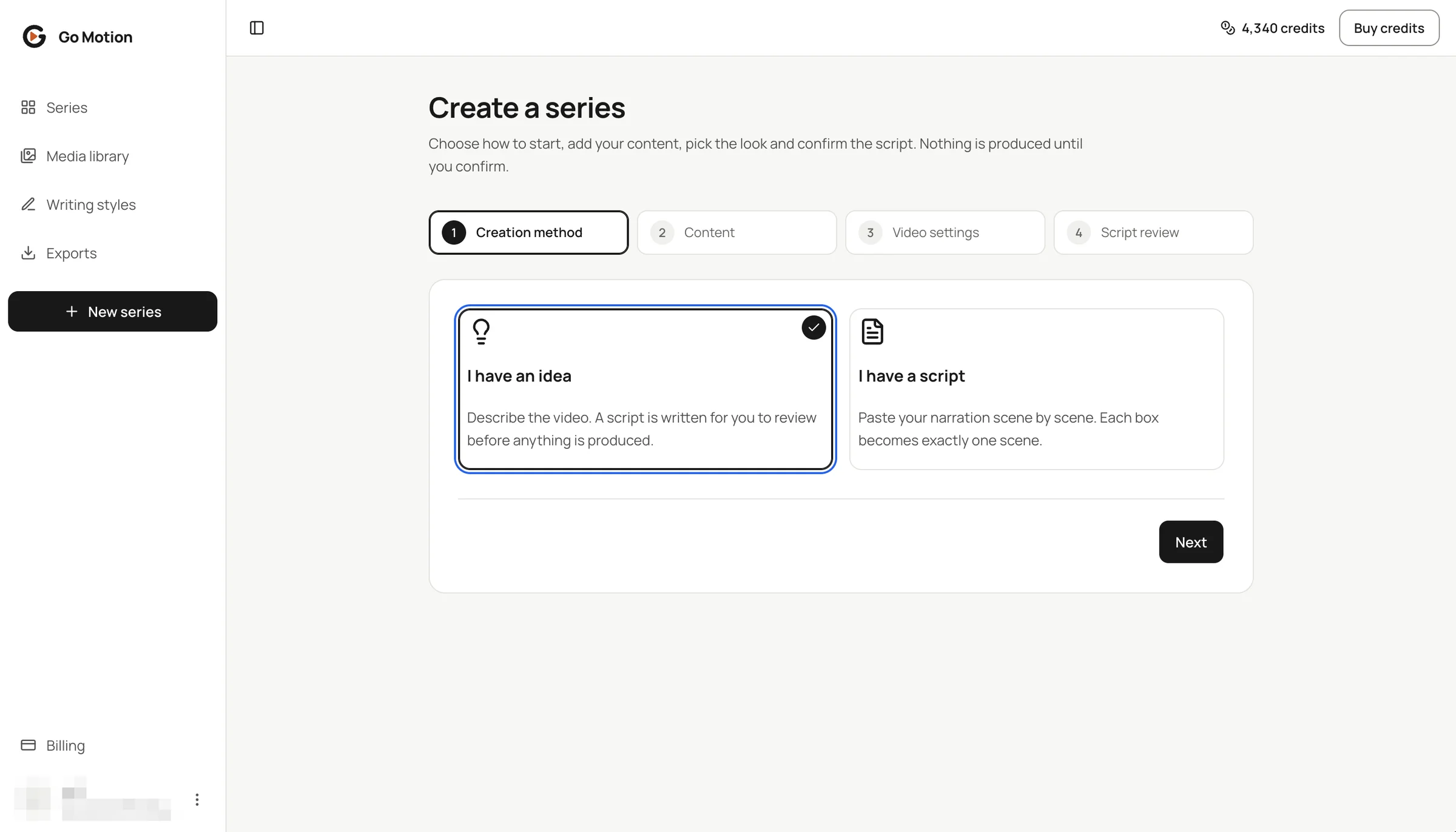
Choose I have an idea for AI to write a script and divide it into scenes. Choose I have a script to paste the full text: AI preserves your wording and order while selecting scene breaks. Both paths include Review scenes, where you can make changes before production.
 1234
- 1I have an idea: describe it, then review and adjust the scenes before production.
- 2I have a script: paste the complete script; AI splits it into scenes without rewriting it.
- 3The four steps of the wizard; completed ones get a tick.
- 4Next moves you on.
Name it and describe the video
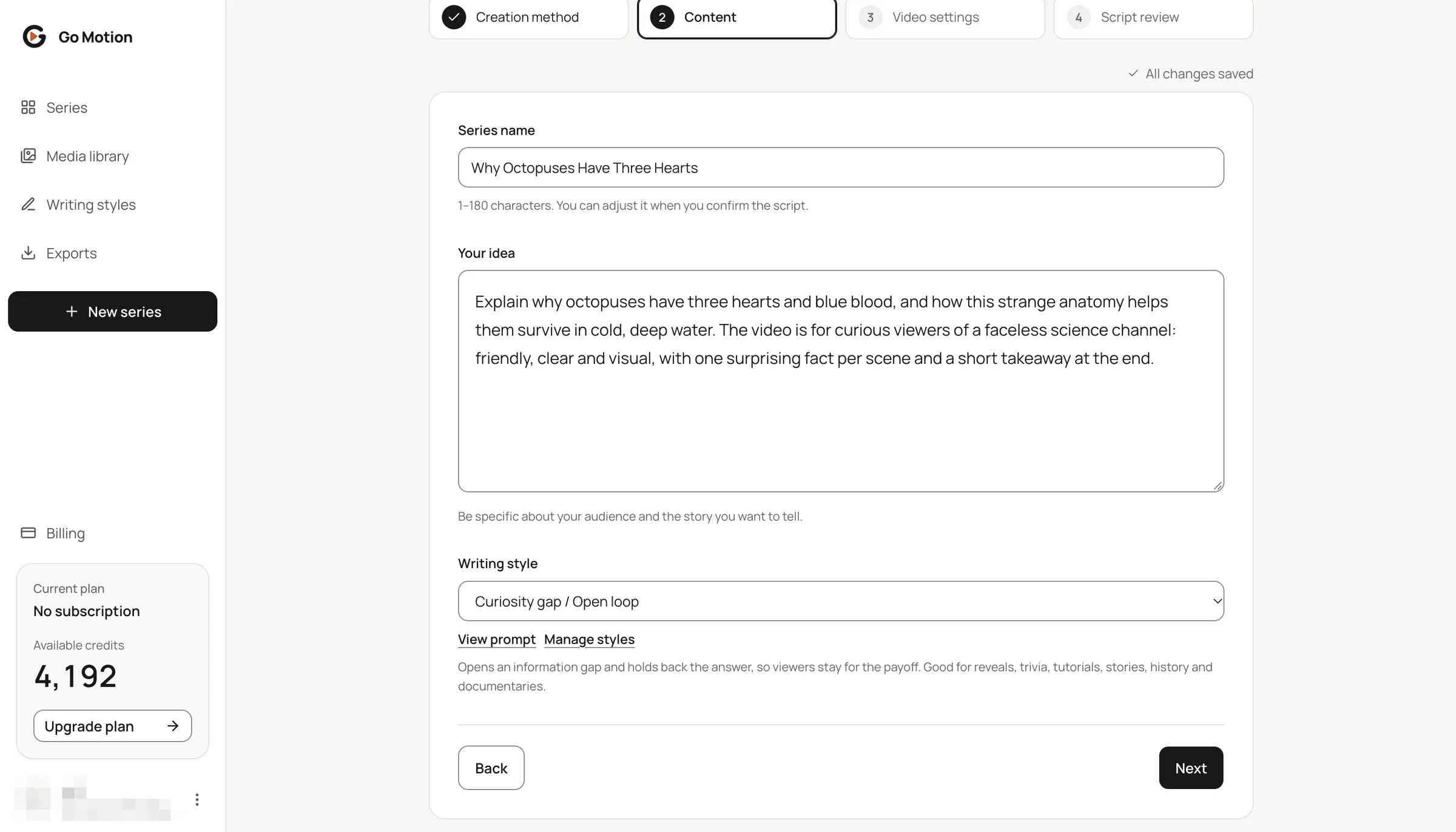
Give the series a working name and tell the AI what the video is about, who it is for and the tone you want. Pick a writing style: Curiosity gap / Open loop is the default and suits most topics, and you can teach Go Motion the style of any YouTube channel under Writing styles.
If you chose I have a script, paste the complete script into one text box. You do not need to divide it into scenes first. AI will preserve the original wording; you can edit the resulting scenes during review.
 4
- 1Series name: you can rename it later.
- 2Your idea: subject, audience, facts and tone.
- 3Writing style: built-in styles or your own.
- 4Everything saves as you type, so you can leave and come back.
Pick the format, length and voice
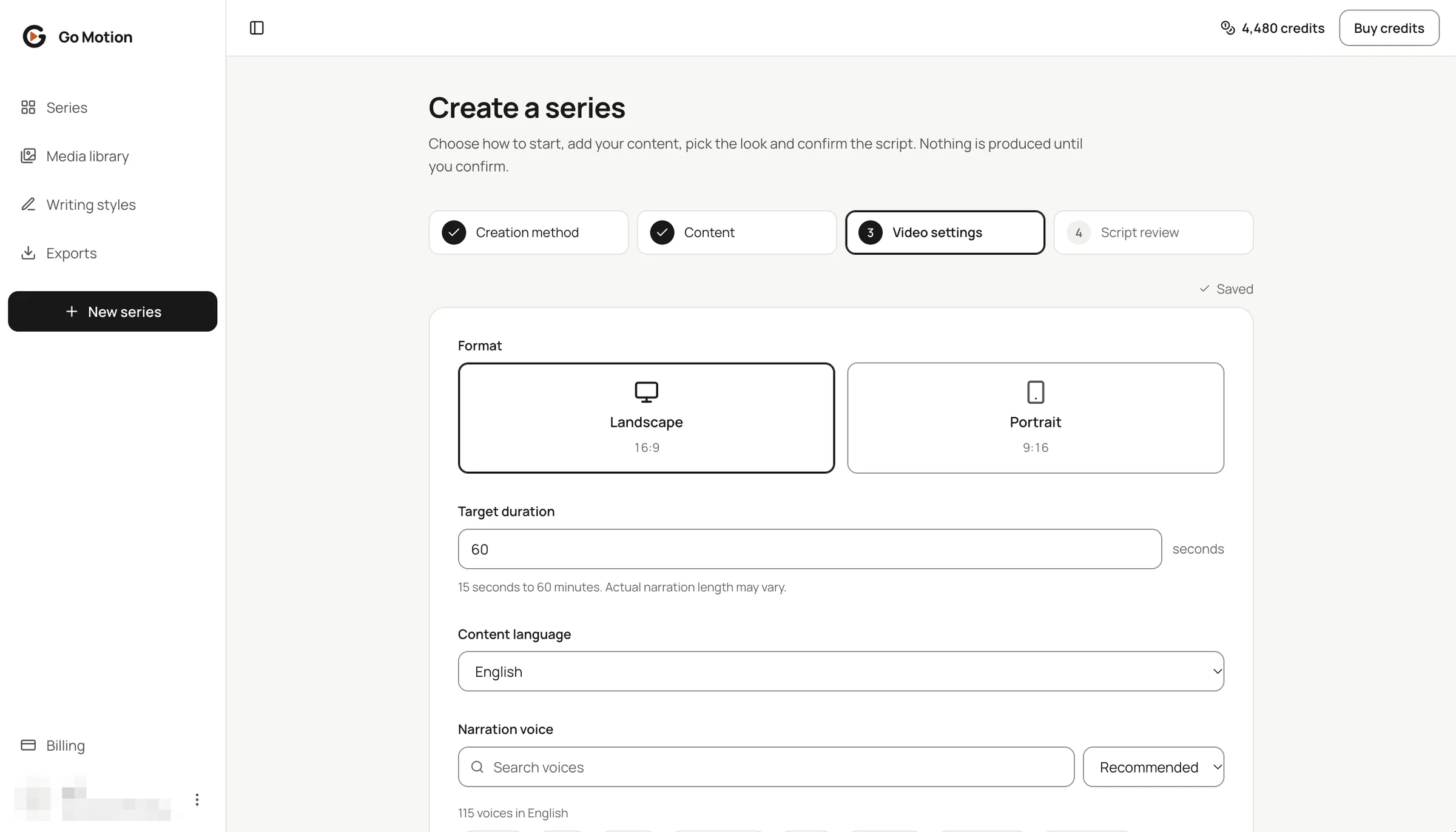
Choose Landscape for YouTube or Portrait for Shorts, Reels and TikTok, then set a target length from 30 seconds to 60 minutes. Pick the content language, then browse dozens of voices for it: filter by gender, age or style and play a sample before you choose.
 4
- 1Format: 16:9 or 9:16. This one is fixed once the series is created.
- 2Target duration in seconds; the real length follows the narration.
- 3Content language of the script and the voice.
- 4Search and filter voices, then press play to hear a sample.
Set the background, music and captions
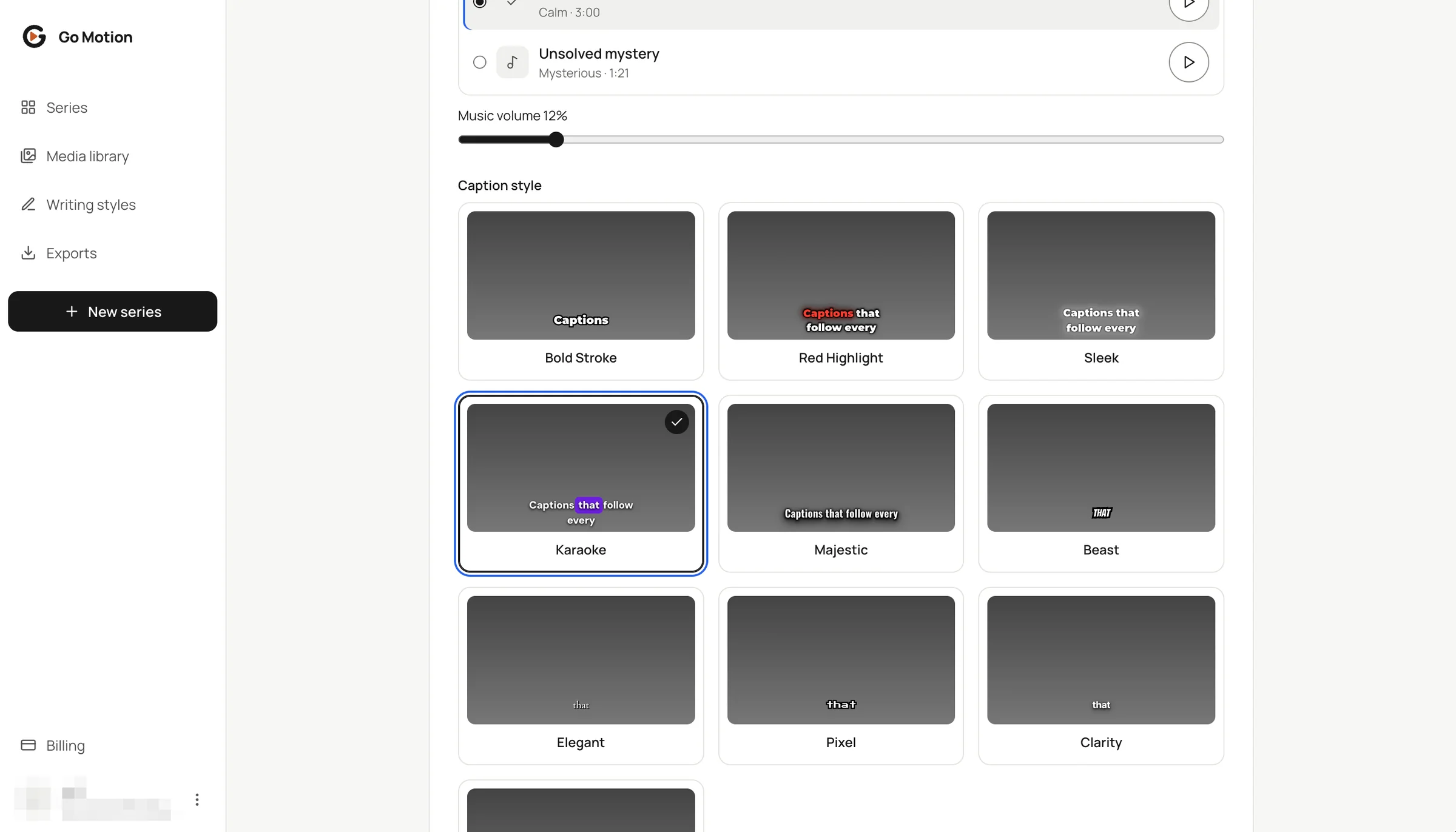
A background shows wherever a scene has no full-frame footage. Add a built-in music track or upload your own and keep its volume low. Then pick one of nine caption styles that follow the narration word by word, or switch captions off.
 12
- 1Music volume: keep it low so the voice stays clear.
- 2Karaoke highlights the spoken word; every style can be moved in the editor later.
- 3Nine caption styles plus No captions. Hover a card to see it animate.
Review scenes
For an idea, press Generate script. For a complete script, press Split into scenes. Review the quote before starting. AI writes new text only for an idea; when you supply a script, it keeps your wording and divides it into scenes.
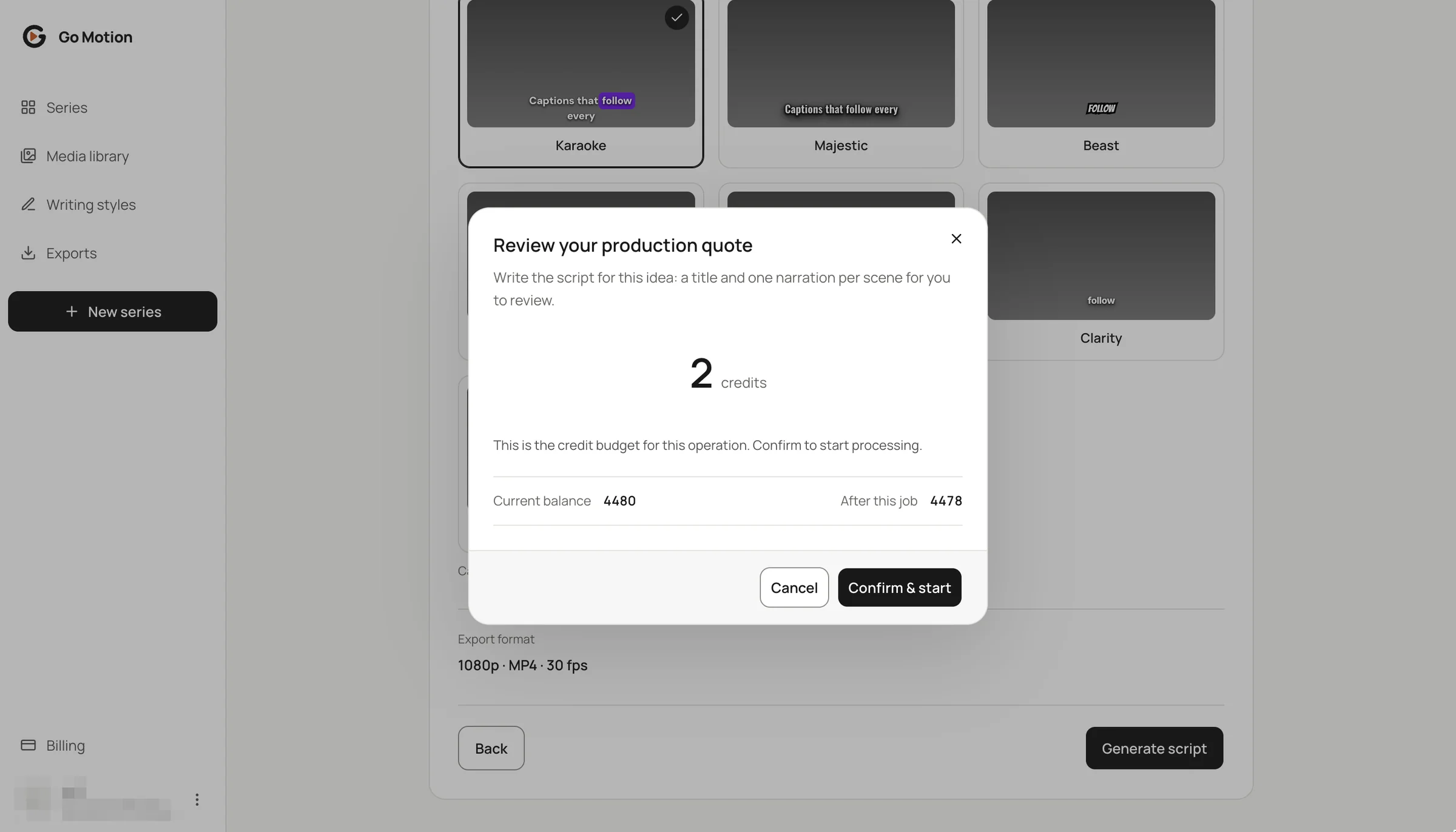 123
- 1The price for this job. Our one-minute script cost 10 credits.
- 2Your balance now and after the job.
- 3Confirm & start. Nothing is charged before this click.
Each scene shows its narration and estimated length. In both modes, you can edit the narration, change the order, and add or remove scenes. Production uses the scenes you confirm. AI does not rewrite a supplied script when splitting it; changes made here are your own edits.
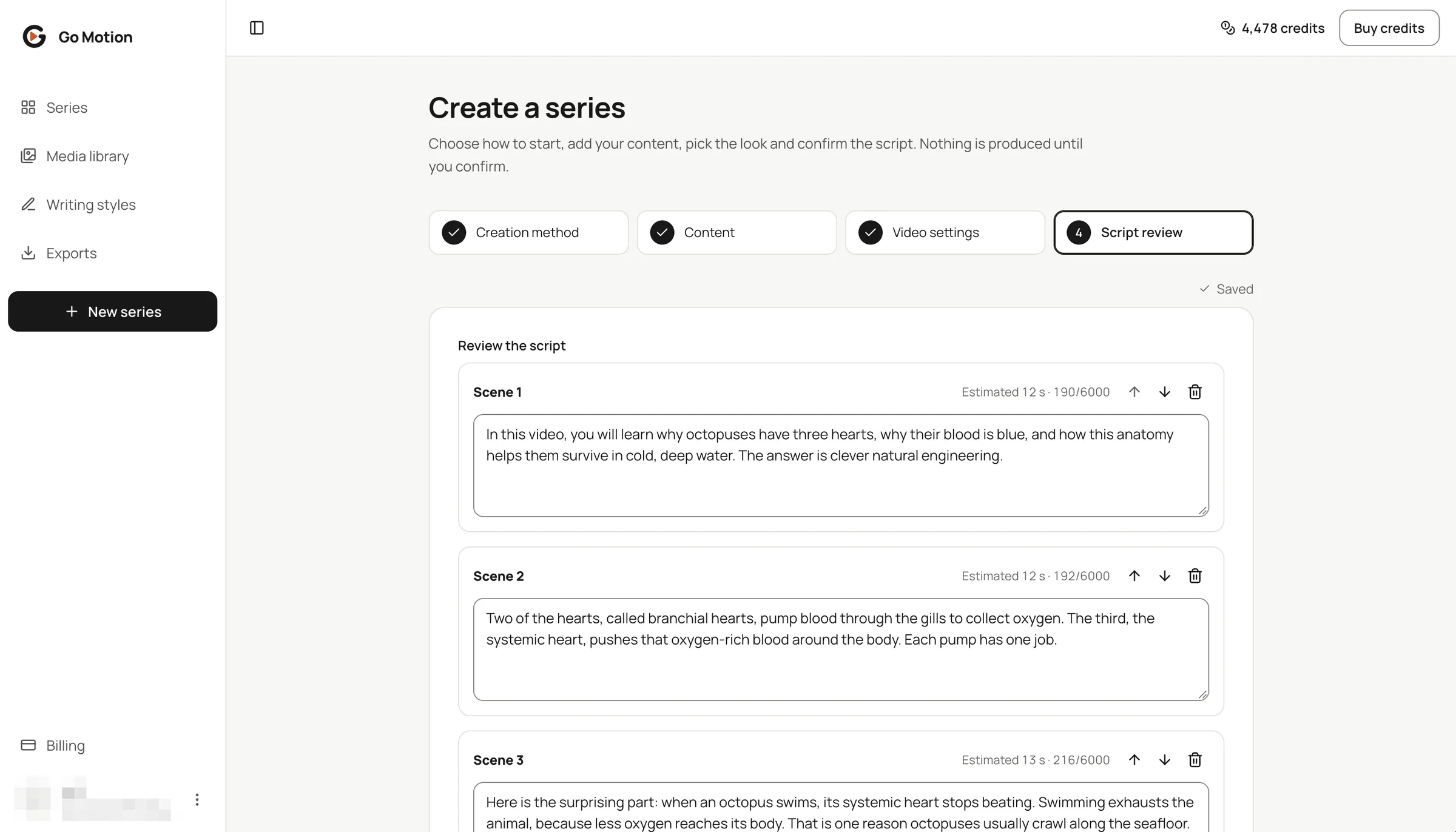 23
- 1Edit the narration of any scene directly.
- 2Estimated length and character count per scene.
- 3Move a scene up or down, or remove it.
Create the series
Press Create series to see the production quote. It covers the narration, the word-timed captions and footage matched to every scene. Confirm, and the editor opens while the video is produced.
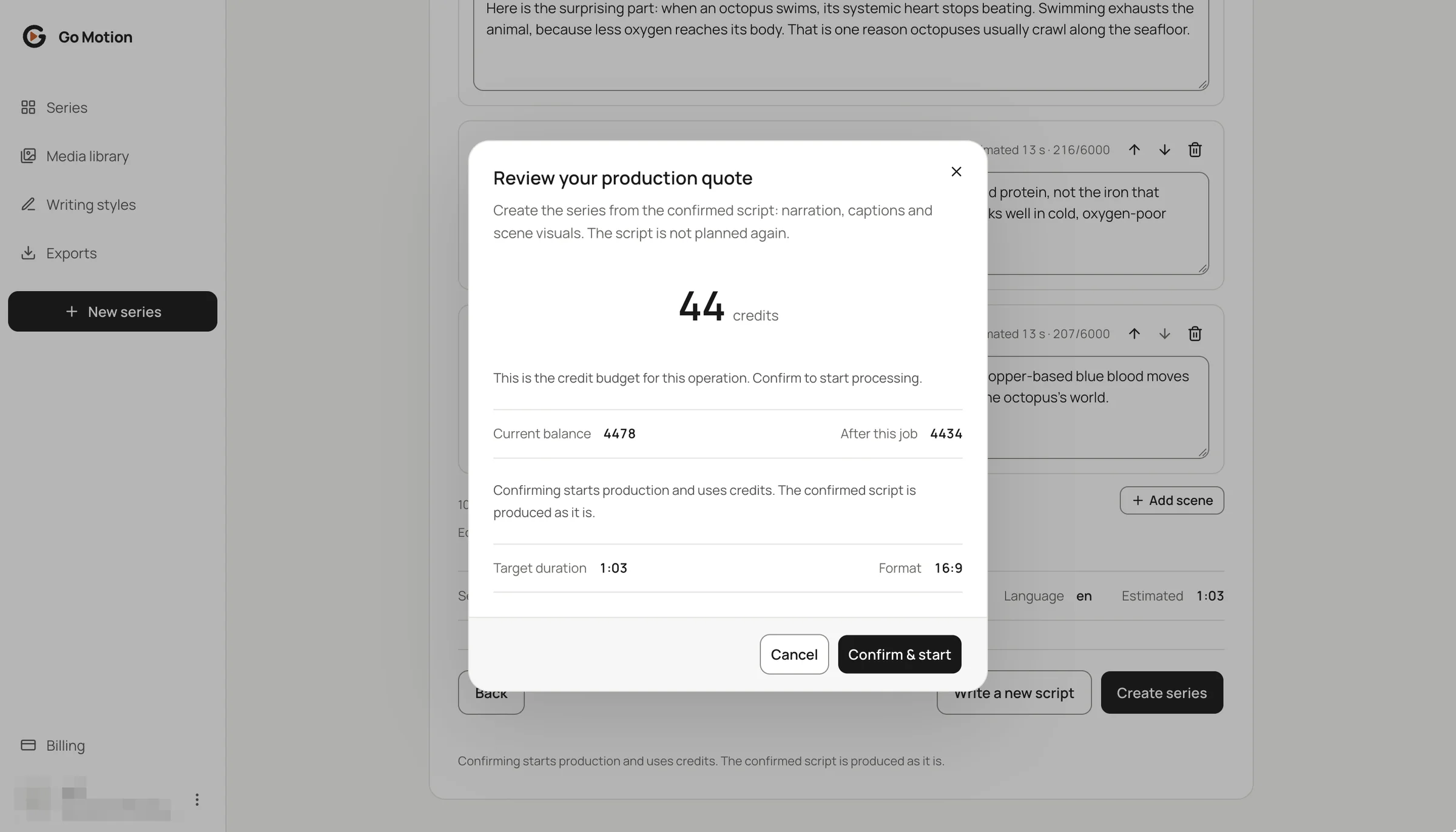 123
- 160 credits: two started minutes at 30 credits each.
- 2The quote repeats the length and format you are about to produce.
- 3Confirm & start opens the editor while the video is produced.
What this chapter costs
| Step | Price |
|---|---|
| Wizard, drafts and script edits | Free |
| Generate the script | 10 credits per minute |
| Write a new script | 10 credits per minute |
| Split into scenes or split again | Shown before you start |
| Create the series | 30 credits per minute |