Oct 27, 2026
Meet Go Motion: from a brief to a finished faceless video
Go Motion, step by step: a script you approve, captions timed to the voice, footage for every scene, an editable storyboard, publishing, plus an API and an open-source agent skill.
Go Motion is a studio for faceless videos: narrated, captioned videos with footage on every scene and nobody on camera. You bring an idea, a script, a recording or an article; it writes the script with you, records the voice, times the captions to the speech, finds a picture for every line and lays the result out as a storyboard you can change scene by scene. Then you export the MP4 with its captions, or publish it straight to YouTube, TikTok and Instagram.
This post walks through what it actually does, in the order you meet it, and ends with the part of Go Motion that is not a web page at all: a public API, an open-source skill for coding agents, and the playbook we wrote while building it.
Start from what you already have
Every series starts from one of four things:
- An idea. A paragraph that says what the video is about, who it is for and how it should sound. Go Motion plans the script from it.
- A script. Your own narration, pasted in. Blank lines become scenes; nothing is rewritten.
- A recording. A voiceover or a podcast clip. The words are transcribed into timed captions and the scenes are built around them.
- An article. A blog post or a page, turned into a narrated version with its own footage.
Two decisions are made at the start and belong to the series: the format, landscape for YouTube and the web or portrait for Shorts, Reels and TikTok, and the content language, which the script, the voice and the captions all follow. Both are chosen before a word is written because the planner writes to them: a portrait video gets a one-line hook and shorter scenes, a landscape explainer gets room for an example in every scene.
The idea path also asks for a writing style. Six are built in, from a plain explainer to a documentary voice, a suspense shape that opens with a question and pays it off at the end, a story shape, a listicle and a fast-paced style for Shorts. If you admire a channel's voice, paste one of its videos under Writing styles and Go Motion reads how it opens, how fast it moves and how long its sentences run, then writes in that form. It learns the form, not the content; the facts and the footage stay yours.
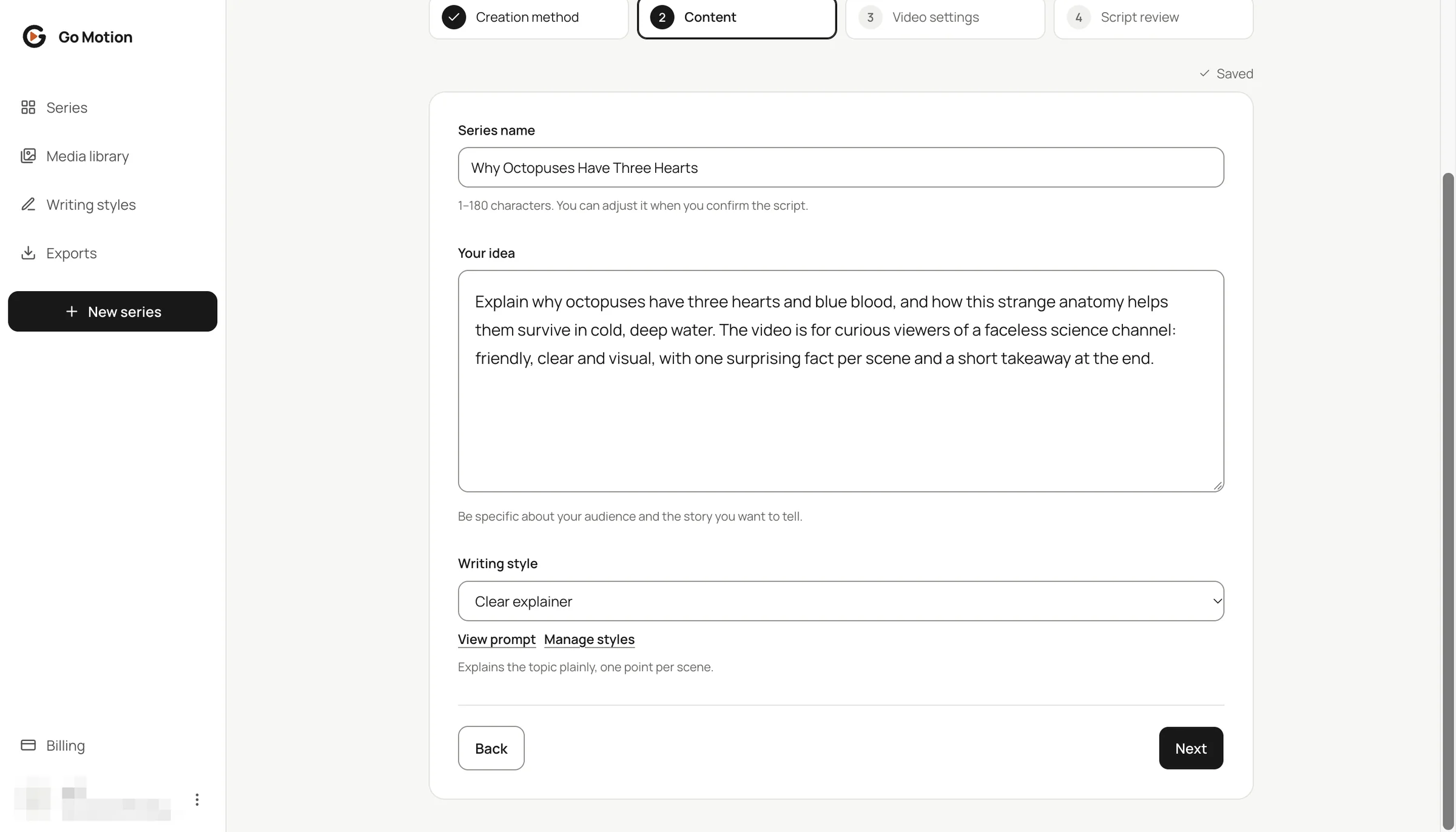
The best brief reads like a note to a human writer: the hook, the facts in the order they should appear, how the video should end, and the audience. The brief behind the example video below is one paragraph, and the five scenes it became kept its order exactly.
The script you approve
Nothing is produced until you have read the script. The planner returns a title and a list of scenes; each scene has a title that nobody hears, written as a concrete noun phrase because it steers the picture search, and a narration, which is the only thing the voice will say.
This is the moment the video is decided, so the review is built to be used, and it is free: rewrite a sentence, reorder scenes, delete a point that repeats, add the example that makes an abstract idea land. The structure we aim for is the one every good short explainer has: the first scene promises something concrete, every scene in the middle makes one point and makes it real, and the last scene delivers the promise. If the draft is wrong from the first line, ask for a new script and keep your settings.
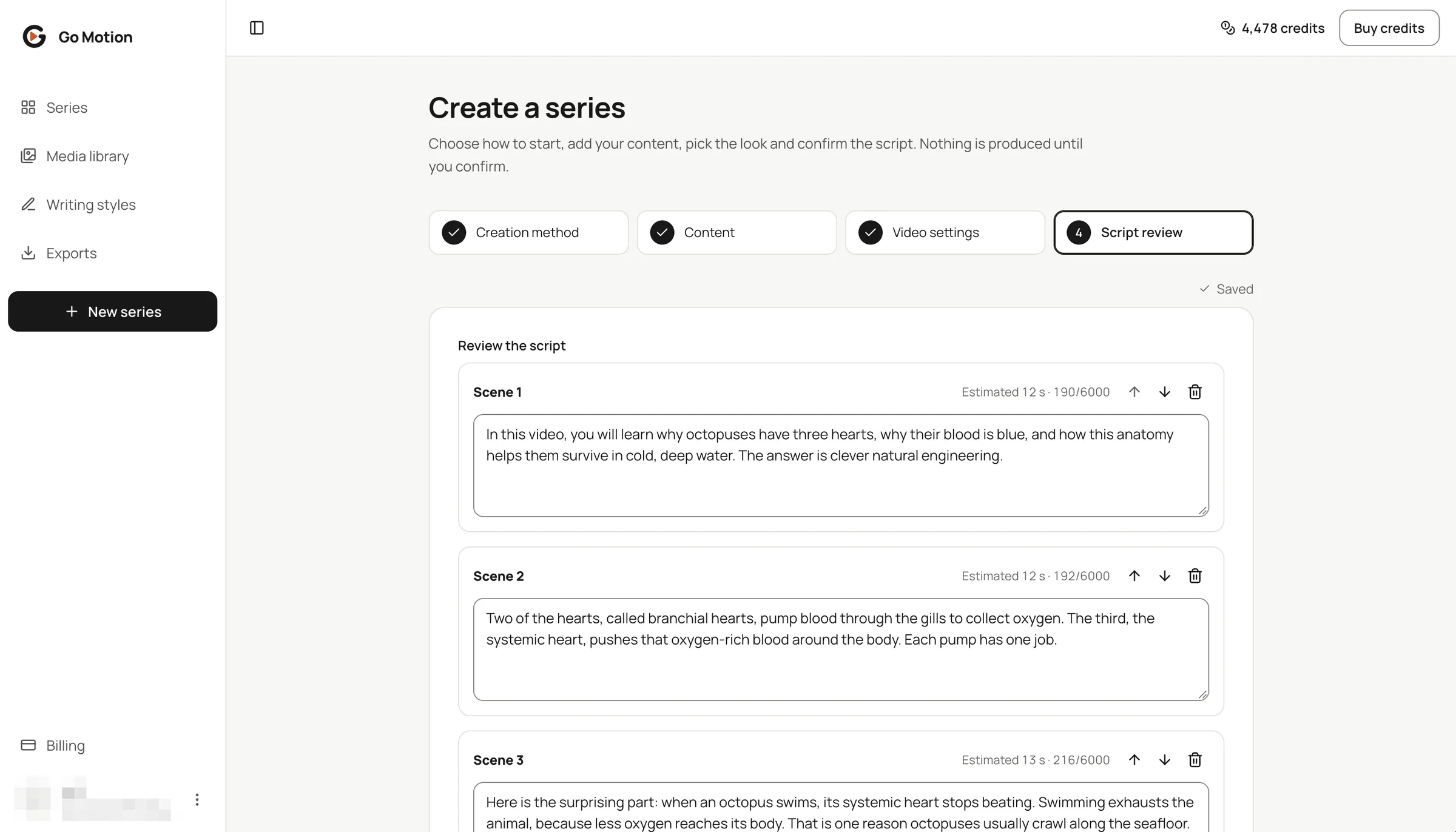
The voice records exactly these words. That is also why the review is where facts get fixed: the planner is told not to invent statistics, quotations or dates, but you know the subject, and a confident narration is the wrong place to discover an error.
Production: a voice, captions that follow it, a picture for every line
Confirm the script and production starts. Three things happen, and each of them is where cheap tools cut corners.
The voice. You pick a voice for the language before production: filter by gender, age or style, play a sample, choose one for the channel and keep it. Narration is recorded scene by scene, which matters later: when you change one sentence, only that scene is recorded again and the rest keeps its audio.
The captions. Caption timing in Go Motion comes from the speech itself, not from a guess based on the text. The voice returns when every word was spoken, and the captions follow it word by word, so the highlight sits on the word you hear and the cuts fall in real pauses. Nine caption styles cover the formats, from single words that bounce on a vertical video to short phrases with a live highlight for a landscape explainer, and the same timings become the SRT and VTT files you download.
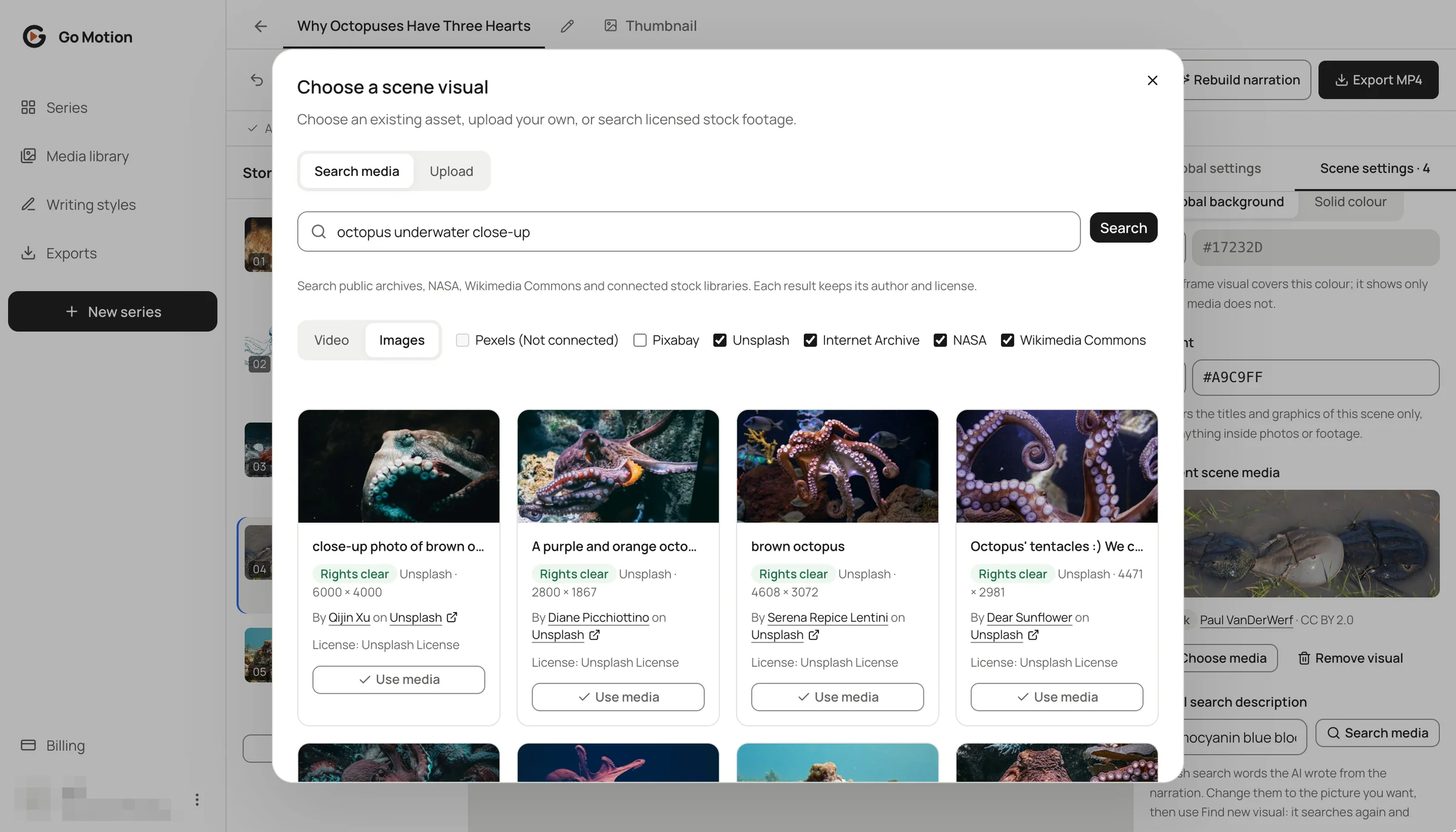
The pictures. Every scene gets footage or a still matched to its narration. The search runs across several stock and archive libraries at once, with search words written the way a photographer would tag the picture, and the candidates are judged by looking at them rather than by their titles: the right subject, the right period, no watermarks or burned-in text. When no library has the picture, an illustration is generated in one style for the whole series. Every picture keeps its source, author and license, and the ones that need a credit line say so.
For videos built on numbers, charts, counters and maps animate the figures on their own scenes, so a lesson or a product update can show its data instead of reading it out.
Edit instead of re-rolling
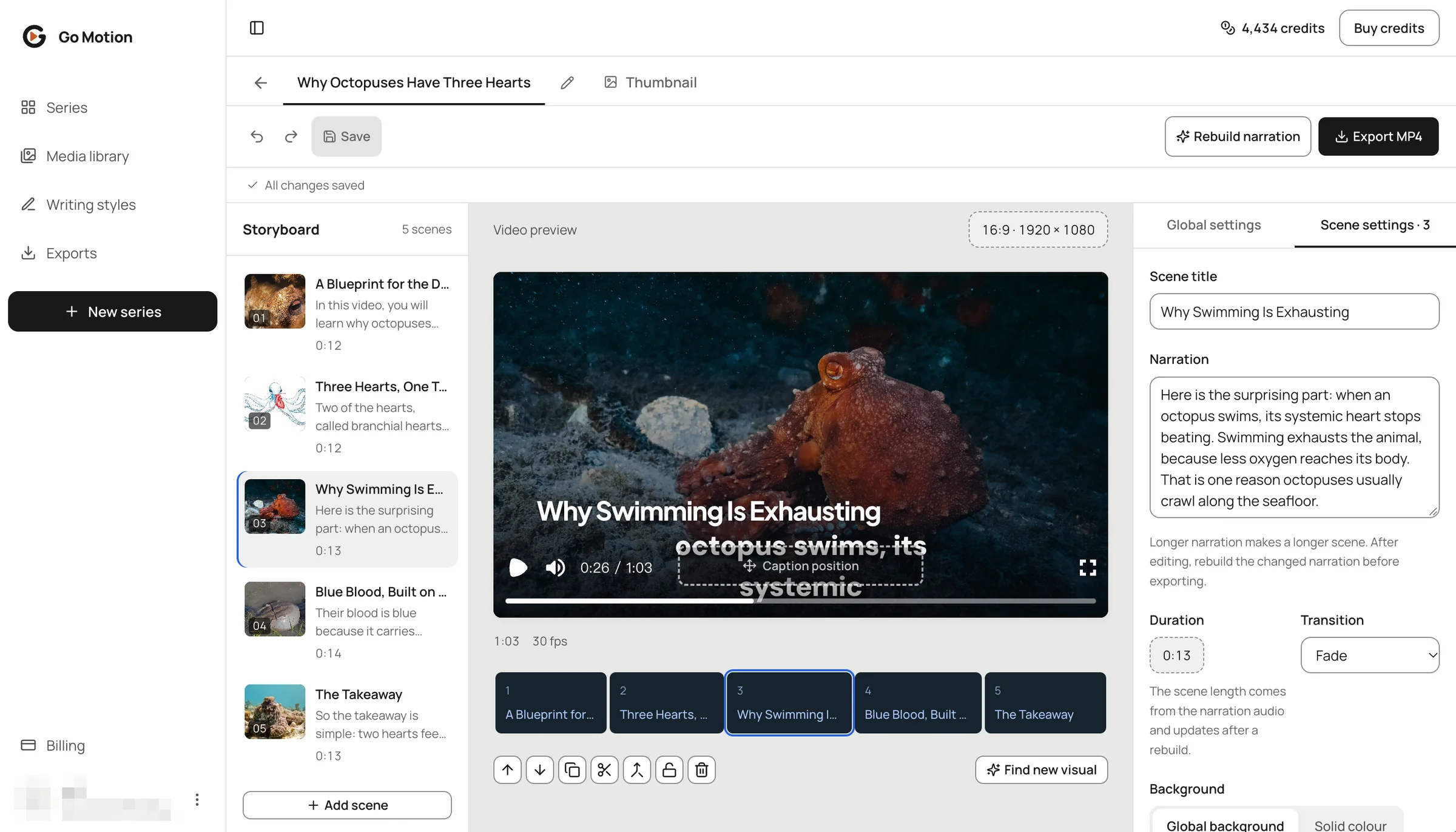
The editor is three columns: the storyboard, the live preview and the settings. The preview is the truth; what it shows is what the export renders. Edits are free to preview, and the point of the storyboard is that you fix the scene you dislike instead of regenerating the video and hoping.
- Rewrite a line. Edit the narration of a scene, press rebuild, and only the scenes whose words changed are spoken again; the captions re-time themselves.
- Swap a picture. Change the scene's search words and search again, pick from the libraries yourself, or upload your own clip, screenshot or diagram. Your uploads stay in the Media library for every series.
- Tune the whole series at once. Caption style and position, background music and the voice are global settings; drag the captions anywhere in the preview.
- Undo, redo, autosave. Close the tab and the series waits exactly as you left it.
A cover that reads at thumbnail size
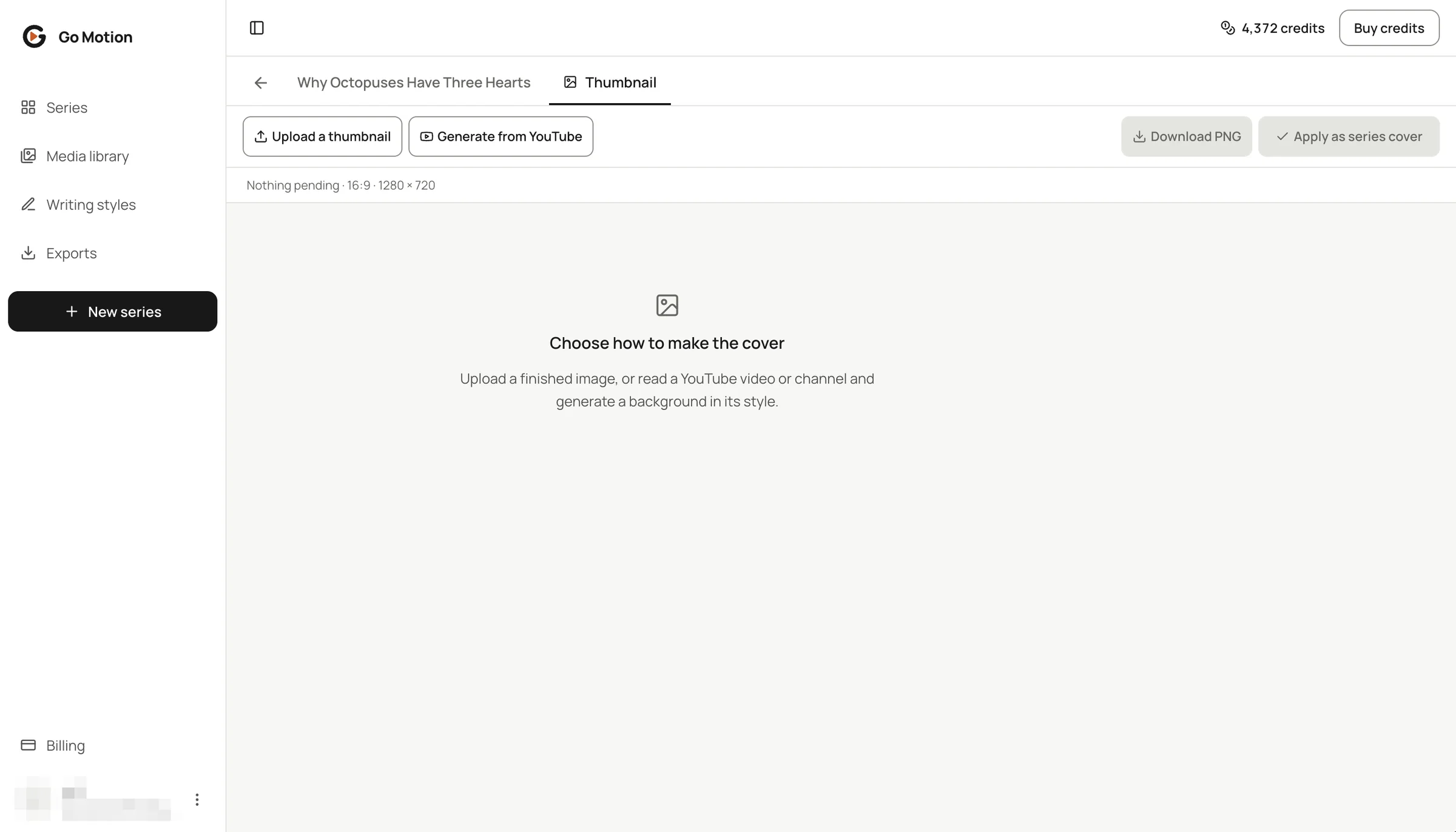
Every series has a Thumbnail tab. Upload a finished cover and it is cropped to the format, or generate one in the style of covers you like: paste a video or channel link, pick a few covers, and a new background is painted for your topic in their composition, colours, light and mood. Their titles and faces are never copied, and the background comes without text, because your title is a separate layer that you write, size and colour yourself.
Export, publish, translate
Exports render on our servers in 1080p, so your computer stays free, and come back as an MP4 with SRT and VTT captions alongside. From there you can publish straight to YouTube, TikTok and Instagram, or download the files and upload them anywhere; the format is H.264 with AAC audio, which every platform takes as it is.
A finished video is also a starting point. The video translator makes another language's version with new narration and captions that keep the original timing, the subtitle translator converts just the captions, and audio to SRT turns any voiceover into time-coded captions you can style on screen or download.
Every paid step is quoted first
Three things cost credits: writing the script, producing the video and exporting it. Each one shows a quote with your balance before it runs, and nothing is charged before you confirm. Drafts, script edits, previews, caption and music changes are free. A job that fails returns its credits by itself. New accounts start with free credits, so the first video costs nothing to try, and the pricing page has the packs and the yearly plans.
One example, start to finish
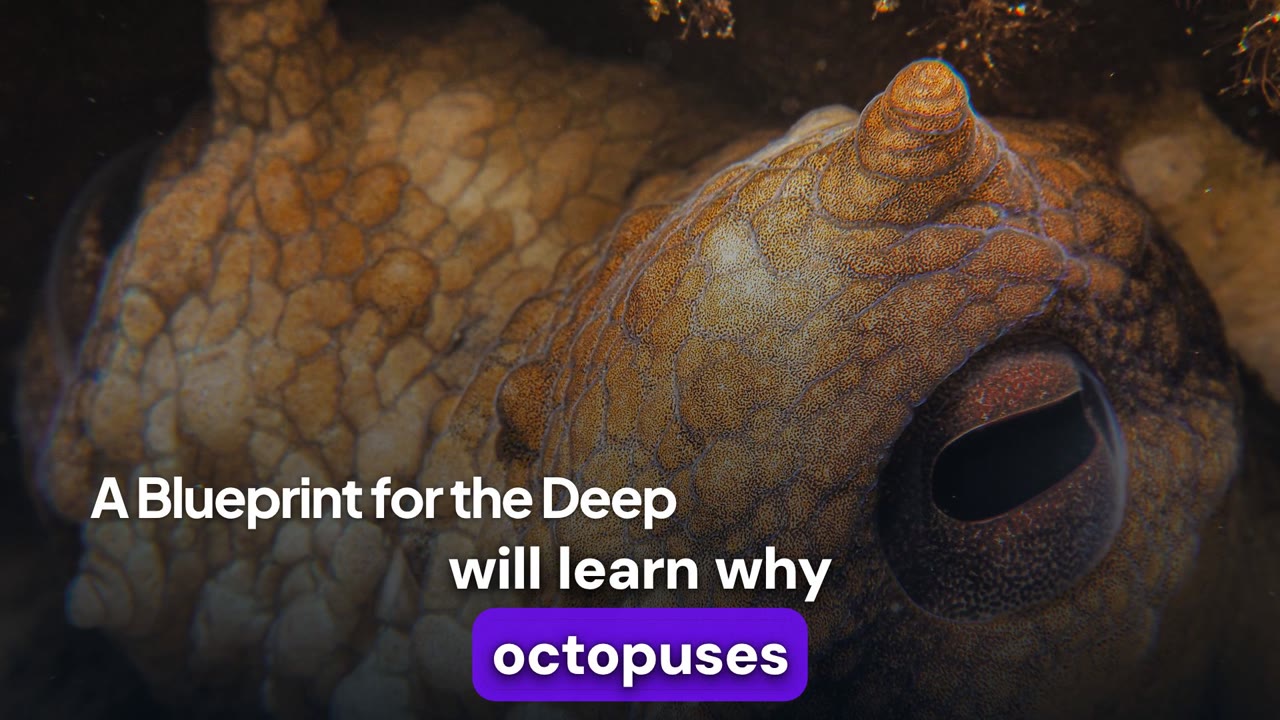
"Why Octopuses Have Three Hearts" was made in the studio from a one-paragraph brief: the subject, the audience (curious viewers of a faceless science channel), the tone, a rule of one surprising fact per scene, and a short takeaway at the end. The planner returned five scenes, from a hook that promises three things to a one-sentence takeaway, and production matched a picture to each: three from stock and archive libraries, one generated illustration where no library had the right picture, and one that was later swapped.
What happened after production is the part worth watching. One line was rewritten and re-voiced on its own, the other four scenes kept their audio. Two pictures were changed, one by searching again and one by picking a photograph from the open libraries by hand. A cover was generated in the style of a YouTube reference. Then the saved version was exported with its captions, and one picture, a Creative Commons photograph, carries a credit line for the description.
Watch the full video, or read how it was made, scene by scene, in the skill repository.
For agents and teams: the API and the skill
Everything above is also reachable without the browser. The public API takes an API key from your settings and exposes the same steps: create a draft, write the script, edit the scenes, produce, export, download, and list the credits of every picture. Each paid step is quoted the same way, and a request must carry the most credits you accept, so an agent cannot spend past what you agreed.
On top of the API sits an open-source skill for Claude Code, Codex and Cursor. Tell your coding agent what the video is about, and it works the brief with you, shows you the scenes, checks their length, asks before each paid step, and downloads the MP4 with its captions and a CREDITS.txt listing every picture's source and license. The repository also holds the playbook we wrote while building Go Motion: six chapters on how faceless videos are made well, from structure and writing for a voice to captions, pictures and their licenses, and publishing. The agent skill chapter of the guide walks through the setup.
Start with one video
Bring an idea or a script, choose the format, read the scenes before anything is produced, and fix the one scene you dislike instead of starting over. The guide shows every step with screenshots, the use cases show what others build, and the studio is where the first one starts.